
GETPALS Wireless Charger iPhone Charging Station for Apple Multiple Devices
4.2Editor score
Foldable lightweight design
Fast charging up to 7.5W
Safe charging with overcurrent protection
This guide compares the top charging dock for multiple Apple devices options featuring wireless stands and multi-port hubs to simplify your home or office
Finding a reliable charging dock for multiple Apple devices can transform your daily routine by reducing cable clutter and keeping your gadgets powered up. With many options available, choosing the right one depends on your specific needs like port count and wireless capabilities.
We have carefully evaluated ten leading models based on compatibility, charging speed, safety features, and design. Our goal is to help you find a station that fits your ecosystem whether you prioritize travel convenience or desk organization.
Each pick highlights unique strengths and ideal use cases to guide your decision making process. Please note that product availability and pricing may change over time so verify details before purchasing to ensure you get the best value.
4.2Editor score

5.0Editor score

4.6Editor score
The following table provides a side-by-side comparison of all ten reviewed products highlighting their key specifications and unique features to help you make an informed choice.
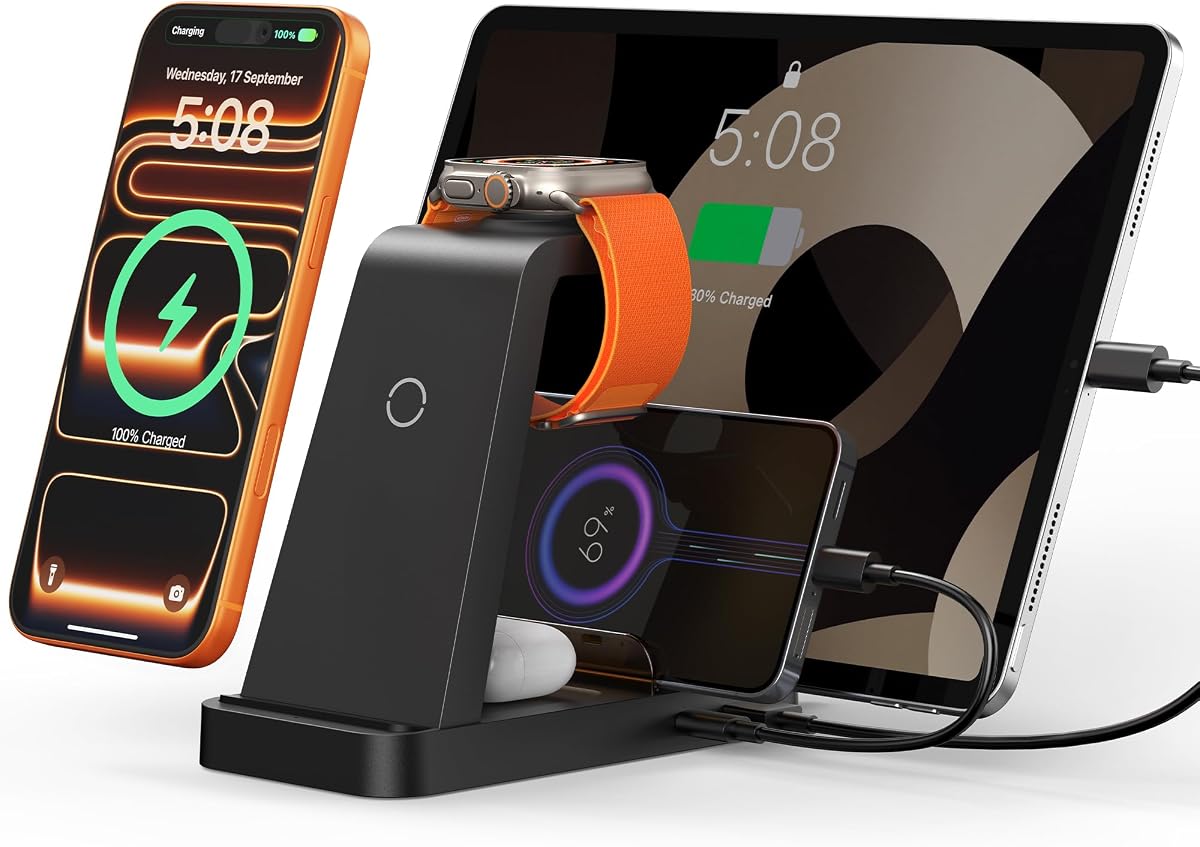


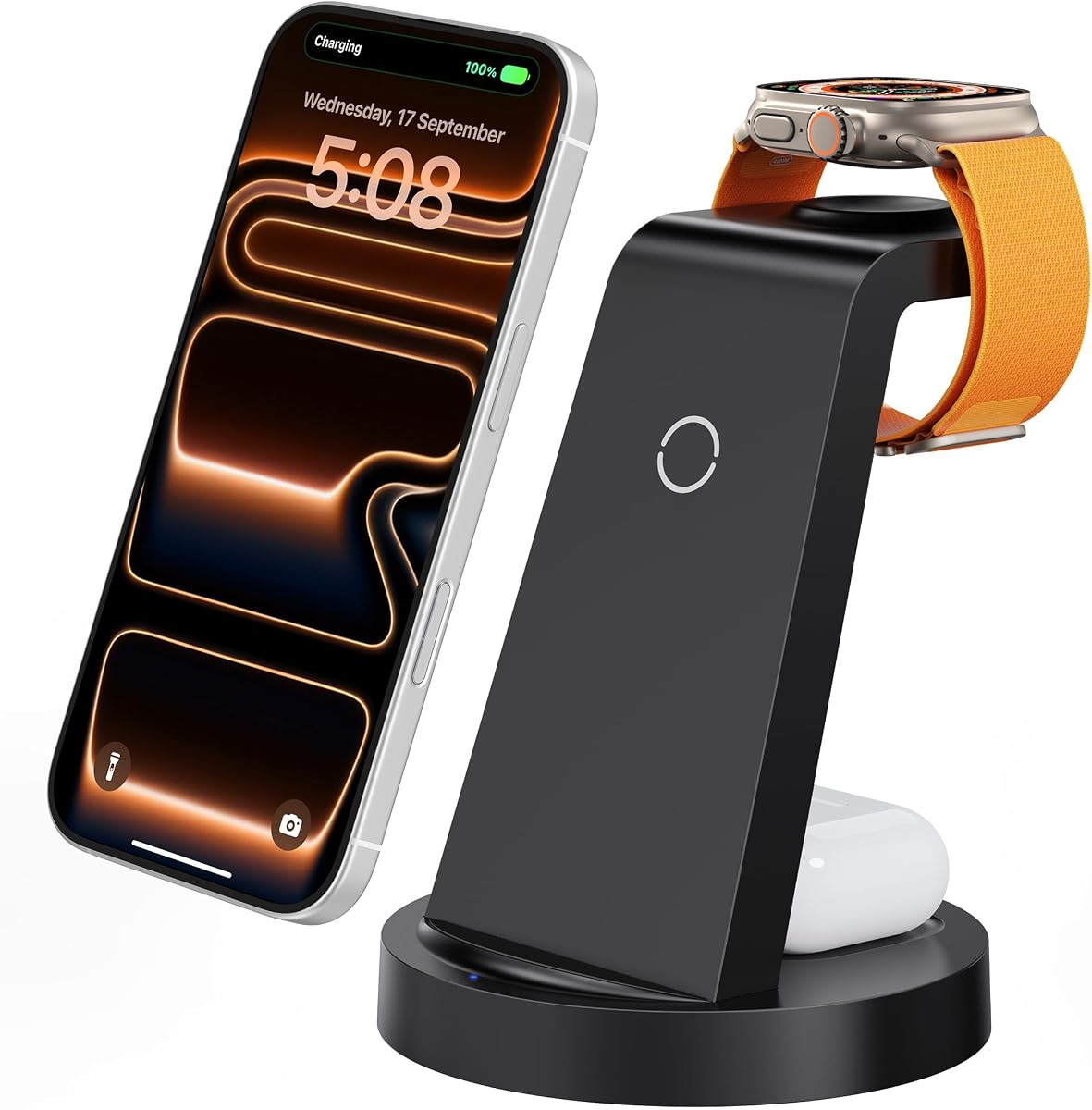


This GETPALS station offers a cost-effective solution for charging three Apple devices wirelessly. With a solid rating of 4.2 stars it provides reliable performance for daily use without breaking the bank.
We may earn a commission when you buy through this link, at no additional cost to you.
Its standout quality is the foldable lightweight design which makes it easy to slip into a bag for travel. The non-slip surface helps keep devices secure while the LED indicators provide clear charging status updates.
While the charging speed is modest at 7.5W for phones it suits users who do not need rapid power top. The case compatibility is limited to 4mm thickness which may exclude some bulky protective covers.
Ideal for students or travelers who prioritize portability over raw speed this dock is a smart choice. It delivers essential functionality for iPhone Watch and AirPods keeping your essentials powered up on the go.
The lightweight foldable structure allows you to pack the charger easily for trips without adding bulk to your luggage.
Built-in overcurrent and overheating protection ensure your devices remain safe during extended charging sessions overnight.
We may earn a commission when you buy through this link, at no additional cost to you.
This 5-in-1 charger delivers impressive speed with a 36W fast charging adapter capable of powering multiple devices quickly. It is designed for users who need to recharge several gadgets including iPad and Android devices efficiently.
We may earn a commission when you buy through this link, at no additional cost to you.
Key strengths include the inclusion of both USB to Lightning and Type-C to Type-C cables which add versatility. The 16 air vents help dissipate heat effectively ensuring stable performance even under heavy load.
The need to remove your phone case for charging is a minor trade-off for maintaining speed. This design choice prevents interference but adds a step to your routine if you use thick protective covers.
Best for users with mixed ecosystems this station handles iPhones Android and tablets seamlessly. It simplifies your desk setup by replacing multiple bricks with one robust hub that keeps everything running.
Included cables for Lightning and Type-C devices reduce the need to hunt for extra cords to power your gadgets.
The 16 air vents work with non-slip pads to keep the unit stable and cool during simultaneous charging sessions.
We may earn a commission when you buy through this link, at no additional cost to you.
This 320W station is a powerhouse for families or offices needing to charge ten devices at once. With 10 ports including high-wattage USB-C options it handles everything from laptops to Kindles effortlessly.
We may earn a commission when you buy through this link, at no additional cost to you.
Its main benefit is the inclusion of eight complimentary cables which save you from buying extras. The smart chips detect devices automatically to deliver optimal current and prevent overcharging risks.
The large size is a necessary compromise for such high capacity so ensure you have enough desktop space. It works well as a central charging hub but might feel bulky on a small nightstand.
Ideal for shared spaces this dock brings order to chaotic setups. The flame-retardant material and safety features provide peace of mind for heavy usage scenarios where many devices draw power.
Ten ports mean every family member can charge their phone tablet or laptop without fighting over limited outlets.
With eight included cables you can connect all devices immediately without needing to purchase additional accessories.
We may earn a commission when you buy through this link, at no additional cost to you.
The Acer Gadget station adds a unique smart clock with Bluetooth time sync to your charging needs. It supports multiple devices including iPhones and AirPods while offering ambient lighting for a stylish touch.
We may earn a commission when you buy through this link, at no additional cost to you.
Its standout feature is the customizable warm or cool lighting which can set the mood for your room. The Bluetooth sync ensures the time display stays accurate without manual updates.
One limitation is the lack of support for Samsung watches limiting its utility for Android users focused on that ecosystem. Also AirPods need to be centered correctly to ensure reliable charging.
Best for desk lovers who value style this dock merges function and aesthetics. It keeps your nightstand tidy and provides a useful clock display making it more than just a charger.
Bluetooth connectivity automatically updates the clock display ensuring you always have the correct time without hassle.
Adjustable lighting options let you choose warm or cool tones to match your room decor and personal preference.
We may earn a commission when you buy through this link, at no additional cost to you.
This Anlmz station offers a reliable way to charge three devices with a solid 18W adapter included. It focuses on safety with features like foreign object detection and automatic trickle mode when fully charged.
We may earn a commission when you buy through this link, at no additional cost to you.
Its key strength is the cool-running design which uses heat dissipation for daily use without getting too hot. The soft blue LED indicator shows status without disturbing sleep at night.
Without magnetic alignment you must center your phone carefully to ensure it starts charging. This can be slightly inconvenient if you place the device quickly before bed.
Perfect for bedside use this dock balances safety and simplicity. The ABS housing protects against heat while the clear LED helps you verify charging status at a glance.
Foreign object detection pauses charging when metal items are placed near the pad preventing overheating risks.
The soft blue LED indicates charging status brightly enough to see but dim enough to avoid disturbing rest.
We may earn a commission when you buy through this link, at no additional cost to you.
This foldable magnetic dock is designed for travelers who need a compact solution for charging three devices. The magnetic suction ensures accurate alignment for iPhone 12 and above models making setup easy.
We may earn a commission when you buy through this link, at no additional cost to you.
Its standout feature is the 180-degree foldable design which transforms it into a phone stand for viewing media. This dual purpose adds value beyond simple charging capabilities.
While convenient the magnetic feature works best with specific cases so you might need to adjust your setup. It is not as feature-rich as desktop stations but excels in portability.
Ideal for hotel rooms or trips this pad saves space and keeps cables organized. The lightweight build ensures it fits easily into any bag while maintaining efficient charging performance.
The 180-degree folding mechanism turns the charging mat into a stable stand for watching videos or chatting.
Magnetic suction aligns your iPhone automatically ensuring you do not have to guess where to place it.
We may earn a commission when you buy through this link, at no additional cost to you.
The Lcssio station stands out with dual 65W ports capable of charging laptops like MacBook Pro alongside phones. It offers 8 ports total with a sturdy construction that resists sliding around on desks.
We may earn a commission when you buy through this link, at no additional cost to you.
Its key strength is the ability to power high-demand devices efficiently without needing extra chargers. The built-in GaN technology keeps heat levels low while maintaining high speed output.
The fixed dividers mean you cannot adjust the layout to fit specific devices but they ensure stability. This rigidity helps protect your devices from slipping though it limits flexibility slightly.
Best for home office setups this dock consolidates power needs effectively. It is ideal for users who need to charge a laptop and multiple peripherals from a single outlet source.
Dual 65W ports allow you to charge MacBook Pro or Air laptops directly without needing a separate power brick.
The integrated housing design prevents flimsy dividers from breaking over time ensuring a durable charging station.
We may earn a commission when you buy through this link, at no additional cost to you.
This 600W station is an ultimate hub capable of charging up to 13 devices at once including laptops and phones. With a perfect 5.0 rating it delivers top-tier performance and safety for heavy users.
We may earn a commission when you buy through this link, at no additional cost to you.
Its standout qualities include dual 100W USB-C ports and advanced GaN 5 technology which ensures safe fast powering of devices. The protection features prevent overcharging keeping your equipment safe.
The high price and large size are trade-offs for such capability so it is best suited for spacious desks. It may feel excessive for casual users but is unmatched for power requirements.
Ideal for power users needing massive output this dock is a premium solution. It simplifies complex setups by replacing many chargers with one efficient reliable unit that handles everything.
600W total output ensures every connected device receives sufficient power even during peak usage times.
Intelligent chipset monitors temperature and current to prevent overheating and protect your devices from damage.
We may earn a commission when you buy through this link, at no additional cost to you.
The Anker MagGo station offers ultra-fast 15W wireless charging with official Apple Watch certification for reliability. It is designed to be compact fitting easily on any desk or nightstand without clutter.
We may earn a commission when you buy through this link, at no additional cost to you.
Its standout features include the ability to adjust the viewing angle up to 45 degrees for convenient StandBy mode. The official certification ensures your watch charges efficiently in about an hour.
The higher price point reflects the quality and speed but may be steep for budget-conscious buyers. It excels for users who prioritize fast reliable wireless charging above all other features.
Best for Apple enthusiasts this dock delivers premium performance. It keeps your setup tidy while providing a fast reliable charge for your essential devices including phone watch and AirPods.
Certified design ensures your Apple Watch charges quickly and safely without risking battery health or overheating.
Adjust the angle to view your clock and notifications in landscape mode while charging overnight effectively.
We may earn a commission when you buy through this link, at no additional cost to you.
This 600W station combines 12 ports with an integrated wireless charger to power up to 15 devices simultaneously. It features an extra-wide slot specifically designed to accommodate laptops and tablets with thick cases.
We may earn a commission when you buy through this link, at no additional cost to you.
Key strengths include the GaN III technology which keeps charging cool and the wide slot that secures devices effectively. The minimalist design blends into office or home settings nicely.
The complexity of managing many cables can be daunting but the organizer design helps. It is heavy so stability is good but transport is difficult compared to smaller units.
Ideal for families or offices this dock consolidates everything into one unit. The wide slots and high wattage make it a robust choice for diverse device needs in shared spaces.
A side slot wider than standard accepts devices with thick cases without needing removal of protective covers.
With 15 ports and 600W output this unit can handle every device in your household at once easily.
We may earn a commission when you buy through this link, at no additional cost to you.
Selecting the right dock requires understanding key factors like charging speed, port count, and safety features to match your ecosystem needs.
Consider how many devices you need to charge at once. A 3-in-1 dock suits basic needs while 10+ port hubs help families or offices with mixed device types. Ensure it supports your specific iPhone and Watch models.
Always check compatibility lists to avoid buying a station that cannot charge your older or newer Apple gadgets.
Look for docks offering 15W wireless charging for phones to ensure faster top-ups. Standard 7.5W speeds work but may take longer for large batteries. Qi2 or MagSafe support can improve alignment.
Higher wattage saves time especially if you need quick charges before leaving home or heading to work.
If you travel often choose a foldable or compact design. Heavier desktop units offer stability but may not fit well in bags. Consider if you need magnetic alignment for ease of use.
Portable docks save space on the go while stationary ones offer better heat dissipation for constant desk usage.
Ensure the dock includes overcurrent overvoltage and overheating protection. Certifications like FCC or safety chips prevent damage to your expensive devices during charging cycles.
Safety is non-negotiable especially when charging devices unattended overnight on a bedside table.
Docks with built-in cable organizers or included cables reduce clutter significantly. A tidy setup improves workflow and looks better in home offices.
Look for models that include the necessary adapters or offer long cables for flexible placement.
Some stations add smart clocks ambient lighting or smart home sync which add value beyond charging. These extras can justify a higher price if you appreciate a smart aesthetic.
Decide if these features matter to you or if pure charging function is sufficient for your needs.
Prices range from budget-friendly options around fifteen dollars to premium hubs over seventy dollars. Set a realistic budget that balances cost with the necessary features you need.
Higher price often means better build quality and faster charging so weigh your priorities before purchasing.
Check for warranties typically ranging from 12 to 24 months. Reliable customer support ensures you can resolve issues quickly if a charger stops working.
A good warranty indicates confidence from the manufacturer in the product quality and longevity.
Place the dock on a flat stable surface to ensure proper ventilation and avoid tipping. Avoid covering vents or placing it near heat sources to prevent overheating during use.
Connect the included adapter to a wall outlet and plug the dock in. Align devices properly on the charging pads ensuring contact points match wireless areas for consistent charging.
Clean the dock regularly with a dry cloth to remove dust. Avoid using liquids directly on the ports or surfaces to protect internal electronics from damage.
Most docks support cases up to 5mm thick but metal rings or magnets may interfere. Check the specific model details to ensure compatibility with your case.
Many models include USB ports for Android phones or tablets so yes. Wireless charging is primarily for Apple but wired ports offer broader compatibility.
Unplug the dock from power for 10 seconds and plug it back in. Ensure the adapter is connected securely and the power outlet is functioning.
Yes most modern docks have safety features to stop charging when full. Always verify specific protection ratings for peace of mind.
Many packages include cables but check the box contents. If not you may need to purchase USB-C or Lightning cables separately.
Some have built-in MagSafe but others do not. For third-party MagSafe you need a compatible dock designed for magnetic alignment.
We have reviewed ten top docks ranging from compact travelers to powerful hubs. Each offers unique strengths depending on whether you prioritize speed style or capacity.
Prioritize safety features and correct port count when selecting. A dock that meets your specific needs ensures reliable charging for all your Apple gadgets.
Remember to check current prices and availability before purchasing since deals change often. Select a model that best fits your daily routine and budget.