
Kingwin 80mm Silent Fan
4.5Editor score
Affordable pricing
Low noise operation
Universal fit design
This guide compares the top 80mm case fans for quiet cooling, static pressure, and reliability across different budgets and system needs.
Choosing the right 80mm case fan is crucial for maintaining optimal temperatures in compact builds. These small fans deliver significant airflow despite their size, making them ideal for ITX cases, NAS units, and CPU coolers.
We analyzed ten top-rated models based on performance, noise levels, and durability. Each product was evaluated for static pressure capabilities, bearing technology, and overall value to help you find the perfect match.
Each pick highlights key strengths and ideal use cases for specific scenarios. Please note that prices fluctuate frequently so check current listings before making your final purchase decision today.
4.5Editor score

4.9Editor score

4.8Editor score
This side-by-side comparison highlights key specifications for every model on our list. Use this table to quickly identify the best option for your specific cooling requirements and budget constraints.



The Noctua NF-A8 PWM stands out as the premier choice for compact cooling needs. With a near-perfect rating of 4.9 stars it delivers premium quality that exceeds expectations for noise and airflow balance.
We may earn a commission when you buy through this link, at no additional cost to you.
Its Flow Acceleration Channels and Advanced Acoustic Optimisation frame ensure superior cooling without the noise. The 4-pin PWM allows precise speed control which helps maintain silence during idle times effectively.
While it costs more than budget options the included accessories like anti-vibration mounts and extension cables justify the investment. These extras ensure a hassle-free installation and extended lifespan for your setup.
Ideal for high-end ITX builds and NAS units this fan is the ultimate choice for enthusiasts. If quiet performance and reliability are your top priorities this model is definitely worth the premium cost.
The advanced frame design significantly reduces resonance and turbulence for whisper-quiet operation even at high speeds.
You get anti-vibration mounts and various cables in the box which simplifies installation and optimizes cable management.
We may earn a commission when you buy through this link, at no additional cost to you.
This five-pack offers exceptional value for users needing multiple fans for radiators or case ventilation. Each unit delivers strong static pressure which is vital for pushing air through dense heatsinks efficiently.
We may earn a commission when you buy through this link, at no additional cost to you.
The P8 model features redesigned fan blades optimized for resistance. While lacking PWM the 3000 RPM speed ensures powerful airflow when you need maximum cooling capacity for your components.
The Fluid Dynamic Bearing provides long service life and quiet operation relative to speed. It is a practical solution for budget builds or systems requiring many cooling points without high costs.
Choose this pack if you need multiple fans and value airflow over speed control. It is perfect for radiators where static pressure matters most and budget is a primary concern for buyers.
The blade design pushes air efficiently through radiators ensuring heat is dissipated quickly even with restricted airflow paths.
Buying five at once lowers the per-fan cost significantly making it ideal for multi-fan setups like water cooling loops.
We may earn a commission when you buy through this link, at no additional cost to you.
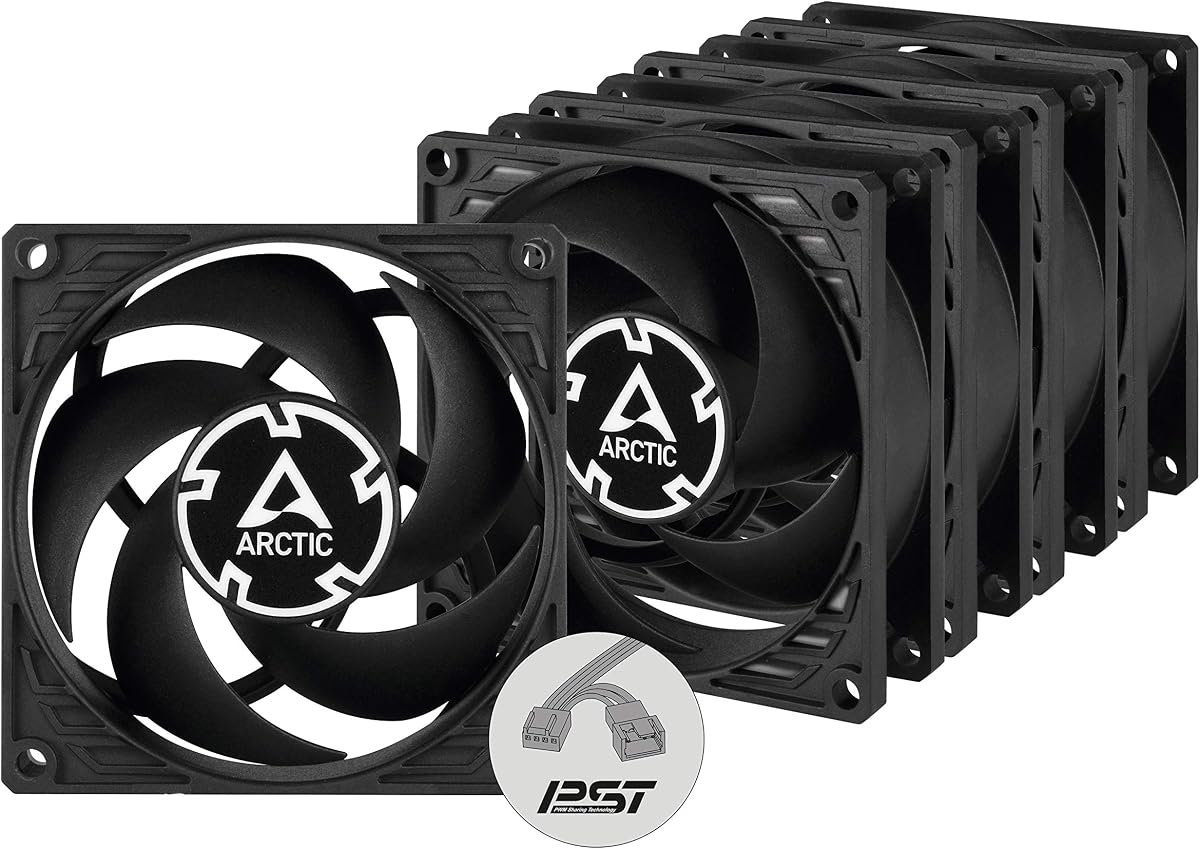
This pack improves on the standard P8 by adding PWM PST technology for easier speed control. You can chain multiple fans to one header which simplifies your motherboard wiring layout greatly.
We may earn a commission when you buy through this link, at no additional cost to you.
The motor uses a Neodym-Iron-Boron-Magnet ring for efficiency and quiet operation. Airflow remains strong while vibration is minimized ensuring a smoother experience during high performance tasks.
The wide RPM range allows the fan to stop completely at low loads. This semi-passive capability keeps noise down when cooling demands are low making it great for silent PCs.
Select this for radiators or case setups needing synchronized speeds without extra splitters. It offers the best balance of control and airflow for those who want modern features in a bulk pack.
Chain all your fans to one header for synchronized control reducing clutter and saving valuable motherboard fan ports.
The new magnet ring reduces power consumption while maintaining high performance at max speeds.
We may earn a commission when you buy through this link, at no additional cost to you.
The NF-R8 redux brings trusted Noctua quality to a lower price point. It retains the core performance features of the full series making it a great entry point for buyers seeking reliability.
We may earn a commission when you buy through this link, at no additional cost to you.
The 1800 RPM speed offers an excellent balance of noise and cooling. You get automatic speed control via PWM which helps reduce noise during idle without manual adjustments ever.
While it lacks the accessory bundle of the top tier model it still delivers consistent cooling. The streamlined design focuses on the core function of moving air quietly and effectively in any case.
This is the pick for budget-conscious users who want premium brand quality. If you need a reliable fan for a NAS or standard case this model provides great performance without extra costs.
You save money on packaging and accessories but keep the core engineering that makes Noctua fans so reliable.
The 1800 RPM limit keeps noise low while ensuring enough power for standard airflow needs.
We may earn a commission when you buy through this link, at no additional cost to you.
For those seeking the lowest cost without sacrificing basic function this Kingwin model fits the bill. It provides silent operation that suits office desktops and quiet home servers effectively.
We may earn a commission when you buy through this link, at no additional cost to you.
The blade design focuses on maximizing ventilation to reduce heat buildup. While not premium it performs well in mining rigs and standard cases where budget is the primary constraint for buyers.
The long life bearing ensures durability that outlasts typical expectations for this price range. It is a practical solution for replacements or large builds needing multiple affordable points of cooling.
Choose this if you need a simple reliable fan for cheap. It is perfect for replacing old fans or cooling a mining rig where cost efficiency is more important than advanced features.
Designed for low noise this fan keeps your workspace peaceful even with multiple units running.
Standard 80mm mounts make it easy to swap into any case or cooler requiring this specific size.
We may earn a commission when you buy through this link, at no additional cost to you.
This model is built specifically for users who prioritize silence above all else. The motor is designed to be virtually silent at low speeds which is ideal for quiet office environments.
We may earn a commission when you buy through this link, at no additional cost to you.
Despite the focus on quietness it maintains high static pressure for radiators. This means it can still push air through dense components without adding noticeable noise to the room.
The 1600 RPM limit reduces noise but may limit top performance. For silent builds this trade-off is acceptable and ensures a calm environment even during heavy system loads.
Select this for bedroom PCs or media centers where noise is critical. It offers the right balance of cooling and quietness without the premium cost of top-tier alternatives for buyers.
The German developed bearing reduces friction significantly lowering noise levels compared to standard designs.
Optimized for static pressure it performs best in restricted airflow scenarios like heatsinks.
We may earn a commission when you buy through this link, at no additional cost to you.
This chromax.black.swap version combines top-tier performance with a sleek all-black look. It is perfect for builders who want to match a dark theme without sacrificing any cooling capabilities ever.
We may earn a commission when you buy through this link, at no additional cost to you.
The Flow Acceleration Channels ensure airflow remains high while vibration is minimized. You get the same reliability as the standard NF-A8 but with enhanced visual customization options for your PC case.
The included swappable pads allow you to change the pad color to match your build. This small touch adds a personalized feel to the system making it stand out in a black PC.
Choose this if aesthetics and performance are equally important to you. It is the ultimate choice for premium builds needing a silent powerful fan that looks as good as it performs.
Swap the anti-vibration pads to red white or green to match your system theme perfectly.
Despite the black look it retains the acoustic optimization that makes Noctua fans so quiet.
We may earn a commission when you buy through this link, at no additional cost to you.
This five-pack offers the same silent benefits of the single unit but at a bulk price. It is ideal for those needing to cool a large chassis with multiple quiet points efficiently.
We may earn a commission when you buy through this link, at no additional cost to you.
Each fan runs at 1600 RPM to minimize noise while still pushing air through dense components. This ensures your system stays cool without adding unnecessary noise to your environment.
The optimized static pressure makes these great for heatsinks or radiators. You get consistent performance across all units which ensures balanced cooling throughout your system components easily.
Choose this if you need to upgrade multiple spots quietly. It is a practical solution for silent builds requiring more than one fan without the high cost of individual premium units.
Buying five at once saves significantly compared to buying single units separately over time.
All units are designed for quiet operation ensuring a peaceful environment even with full speed.
We may earn a commission when you buy through this link, at no additional cost to you.
This model is the most powerful 80mm fan on the list with a 5000 RPM speed. It delivers massive airflow and pressure ideal for demanding environments like 2U server racks.
We may earn a commission when you buy through this link, at no additional cost to you.
The fluid dynamic bearing ensures long life and silent operation at low speeds. This makes it versatile as it can ramp up for cooling or stay quiet during idle periods effectively.
PWM control allows you to adjust the speed based on system temperature. You get maximum performance when needed while keeping noise down when the load is low.
Select this for high-density servers or extreme cooling needs. If you need top performance from a small footprint this fan offers the best speed and pressure available for buyers.
With speeds up to 5000 RPM this fan moves more air than most standard 80mm options.
The bearing reduces friction ensuring long life even at high speeds.
We may earn a commission when you buy through this link, at no additional cost to you.
This 15mm thin fan is perfect for slim CPU coolers or tight spaces. It still delivers strong airflow without needing the standard 25mm thickness of other fans.
We may earn a commission when you buy through this link, at no additional cost to you.
The S-FDB V2 bearing solves shaking issues found in lifting modes. This ensures stable operation even at high speeds making it reliable for demanding environments.
With a max speed of 2200 RPM it balances performance and noise effectively. The PWM control allows you to manage speeds automatically based on your motherboard temperature readings.
Choose this if you have space constraints on your CPU cooler. It offers a great alternative to standard thickness fans while maintaining high airflow and reliable cooling performance.
At just 15mm thick this fan fits in tight spaces where 25mm fans might not.
The S-FDB V2 bearing design minimizes shaking and extends the lifespan of the fan.
We may earn a commission when you buy through this link, at no additional cost to you.
Selecting the right fan requires understanding your specific cooling needs and case constraints. This guide covers the critical factors to consider before making your final purchase decision today.
Standard 80mm fans come in 25mm thickness but slim versions exist. Measure your case clearance to ensure the fan fits without interference from nearby components.
Always check the depth before buying to avoid fitting issues.
Higher RPM generally means higher airflow but also more noise. Consider if you need maximum performance or if lower speeds will suffice for your setup needs.
Balance RPM with noise tolerance for the best user experience.
Static pressure is crucial for fans facing resistance like heatsinks. High static pressure fans perform better on radiators than standard airflow-focused models do.
Prioritize high static pressure for radiator use cases.
4-pin PWM fans allow for automatic speed control via the motherboard. 3-pin fans run at full speed unless manually controlled making them less flexible for quiet builds.
Choose 4-pin PWM for better speed control and efficiency.
Noise is measured in decibels or sones. Look for low ratings if you need a quiet environment for work or media consumption at home.
Lower decibels ensure a quieter working environment.
Fluid dynamic bearings last longer and run quieter than sleeve bearings. They are more expensive but worth it for longevity in continuous use scenarios.
Opt for fluid bearings for better lifespan.
Multi-pack options often offer better value per unit than single fans. Determine how many fans you need to see if a bulk pack makes financial sense.
Compare unit costs in packs to save money.
Some fans come in all-black designs or offer customizable parts. If your build is visible consider how the fan color will match your overall system theme.
Choose designs that match your case aesthetic.
When installing your fan ensure the frame is secure to prevent vibration noise. Use the provided anti-vibration mounts if available to isolate the fan from the chassis.
Regular cleaning helps maintain performance. Use compressed air to blow dust off the blades every few months to prevent buildup and noise increase over time.
If the fan becomes louder over time check the bearings for wear. Replacing worn fans early prevents component damage from overheating due to poor cooling efficiency.
80mm fans can be loud if pushed to high RPM but many modern models are optimized for silence. Choosing a PWM fan with lower max RPM ensures quiet operation even in small spaces.
PWM fans have a fourth pin for speed control allowing the motherboard to adjust speed based on temperature. 3-pin fans run at full speed constantly unless you use a manual controller.
Yes they can be used on smaller graphics cards but they lack the surface area of larger cooling solutions. They are best suited for cases or specific component cooling rather than high-end GPUs.
Quality fans with fluid dynamic bearings can last over 50,000 hours of continuous operation. Cheap sleeve bearing fans may fail sooner so consider bearing type for long-term reliability.
If you have multiple exhaust or intake points then yes. A multi-pack is often cheaper and ensures uniform airflow balance throughout the system without buying individually.
Static pressure matters when a fan pushes air through a filter or heatsink. It ensures that resistance doesn't slow down the cooling process effectively.
Our top picks cover every category from premium quality to budget multi-packs. The Noctua options lead in silence while ARCTIC packs offer the best value for bulk needs.
Prioritize fan thickness and connector type before checking price. Ensuring your chosen model fits physically will save you the hassle of returns or modifications later on.
Prices can change so double-check the current listing before purchasing. Find the right balance of airflow and noise for your specific setup requirements today.